SMS, WhatsApp, and RCS Webhooks
Webhooks are HTTP callbacks the platform sends to your URL when a message changes state or a user replies. Configure them in the dashboard, then expose an HTTPS endpoint that accepts POST (and GET for SMS DLR if you choose that method).
How webhooks work
You send with apikey. The platform later pushes status to your URL. You do not poll Omni for DLR on the public send APIs.
Your endpoint should:
- Be public HTTPS (plain HTTP is often blocked).
- Respond with HTTP 2xx quickly (do the work asynchronously). Slow or 5xx replies may be retried.
- Treat events as at-least-once. The same
messageIdcan arrive more than once — make handlers idempotent (same id + status → no double update). - Match outbound sends using
messageId(SMS, WhatsApp) ormessageId+botId(RCS).
This page covers how to register webhooks and the SMS delivery-report body. WhatsApp and RCS event payloads live on their channel pages so the samples stay next to those APIs.
Profile intake and stage/score callbacks are CDP webhooks — a different URL family, not DLR.
Event map
| Channel | What you receive | Where to configure | Payload samples |
|---|---|---|---|
| SMS | Delivery report (DLR): status, error code, delivered time | Message app → Utility Manager → DLR Push Configuration | This page |
message_status (sent, delivered, read, failed) and message_received (text, buttons, media) | WhatsApp → WA Utility → Webhook | WhatsApp webhook | |
| RCS | User text, suggestion taps, files, and related callbacks | RCS → Utility → Webhook | RCS webhook |
SMS delivery reports
Configure a URL that can receive GET query parameters or a POST JSON body. Pick the placeholders you need; only those fields are sent.
How to add an SMS webhook
- Open Message app → Utility Manager → DLR Push Configuration.
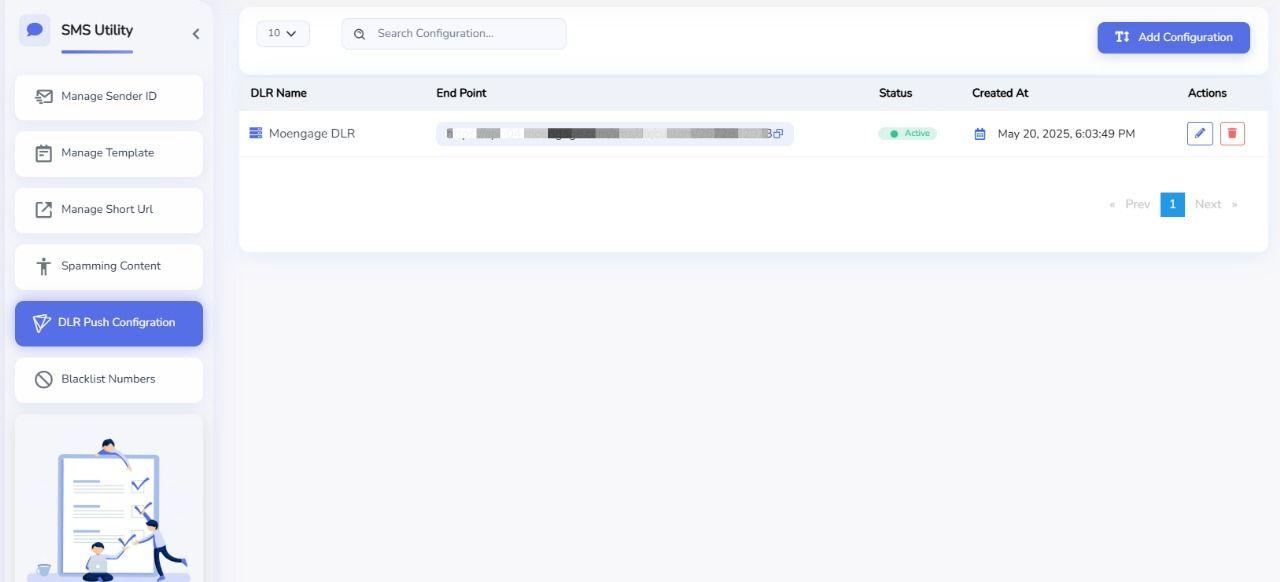
- Click Add Configuration.
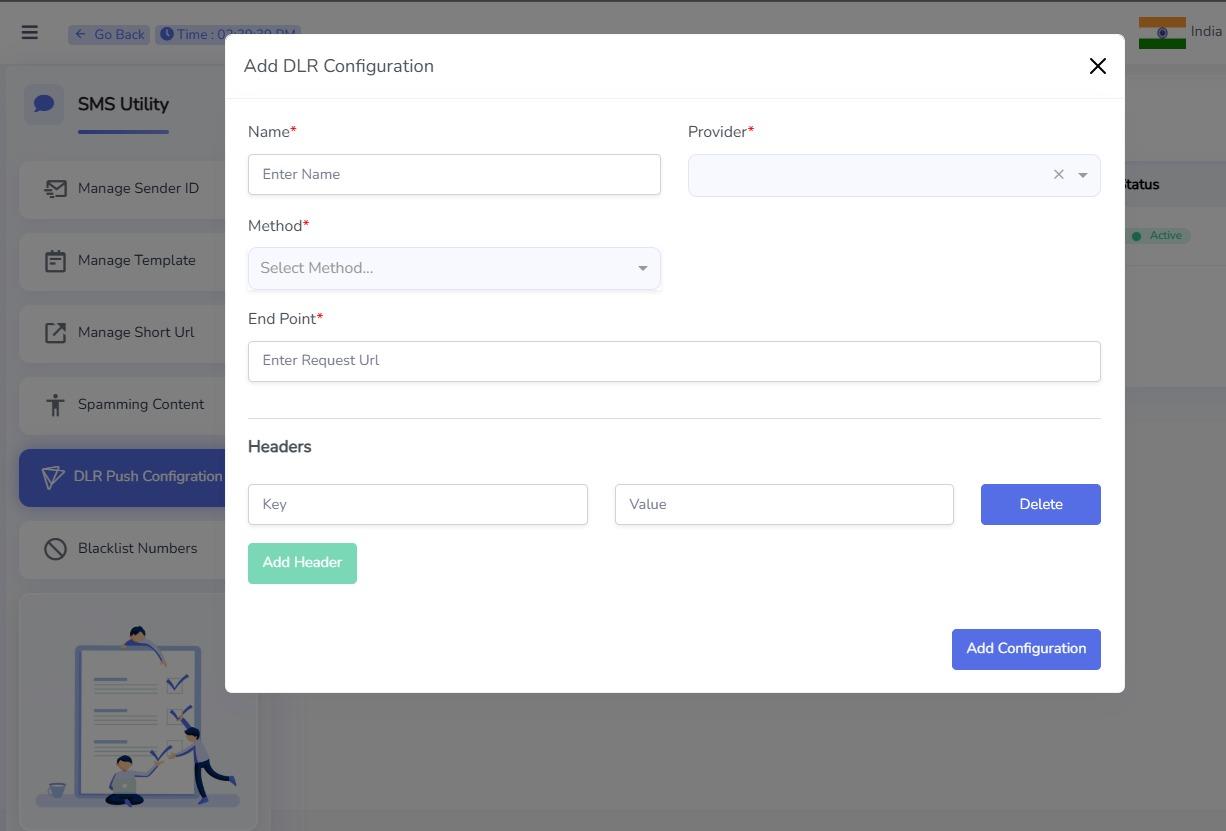
- Fill in the fields below and save.
| Field | Description |
|---|---|
| Name | A unique name for this configuration. |
| Provider | SMS provider this DLR applies to. |
| Method | HTTP method. Use POST unless your receiver only accepts GET. |
| End Point | Public URL that will receive the DLR. |
| Headers | Optional. Header value must be a placeholder from the table below. |
Header placeholders
At send time, placeholders are replaced with the live DLR values.
| Header key (example) | Header value |
|---|---|
Message-Id | {{messageId}} |
Mobile | {{mobileNumber}} |
Status | {{status}} |
Gateway | {{gatewayName}} |
Delivered-Time | {{deliveredDate}} |
Supported placeholders
| Placeholder | Description |
|---|---|
{{messageId}} | Unique message ID assigned to the SMS. |
{{mobileNumber}} | Recipient's mobile number. |
{{messageCredit}} | Number of SMS credits consumed. |
{{gatewayName}} | SMS gateway through which the message was sent. |
{{senderName}} | Sender ID used to send the SMS. |
{{errCode}} | Error code returned by the gateway or operator, if applicable. |
{{deliveredDate}} | Date and time when the SMS was delivered. |
{{status}} | Current delivery status (e.g., DELIVERED, FAILED, PENDING). |
{{operatorCircle}} | Telecom operator and service circle of the recipient. |
{{createdAt}} | Date and time when the SMS was submitted. |
{{statusDescription}} | Detailed description of the delivery status or failure reason. |
GET request
When GET is selected, the delivery report is sent as query parameters.
GET https://api-03.moengage.com/sms/dlr/custom/3227454402?messageId=23b475e2-b522-4863-b68e-a465623b1b75%3A1&mobileNumber=919999690355&senderName=PLCKWK&errCode=000&status=Delivered&createdAt=1782475943819&deliveredDate=Fri%20Jun%2026%202026%2017%3A42%3A25%20GMT%2B0530%20(India%20Standard%20Time)&statusDescription=Delivered
POST request
When POST is selected, the delivery report is sent in the request body as JSON.
{
  "messageId": "1b0bcd2b-1fe6-4c14-978d-b5854f9159c5:1",
  "mobileNumber": "917478149843",
  "senderName": "STYBZR",
  "errCode": "000",
  "status": "Delivered",
  "createdAt": "1782475943819",
  "deliveredDate": "Fri Jun 26 2026 17:40:00 GMT+0530 (India Standard Time)",
  "statusDescription": "Delivered"
}
The fields included in the GET query or POST body depend on the placeholders you configured.
WhatsApp webhooks
Register the URL under WhatsApp → WA Utility → Webhook.
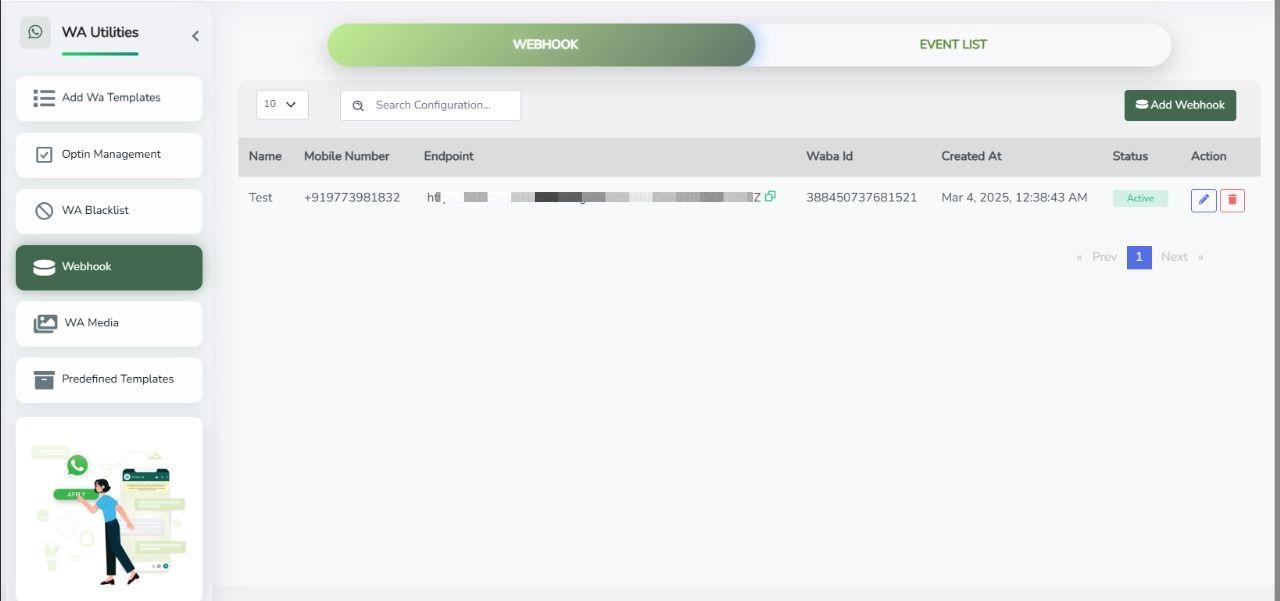
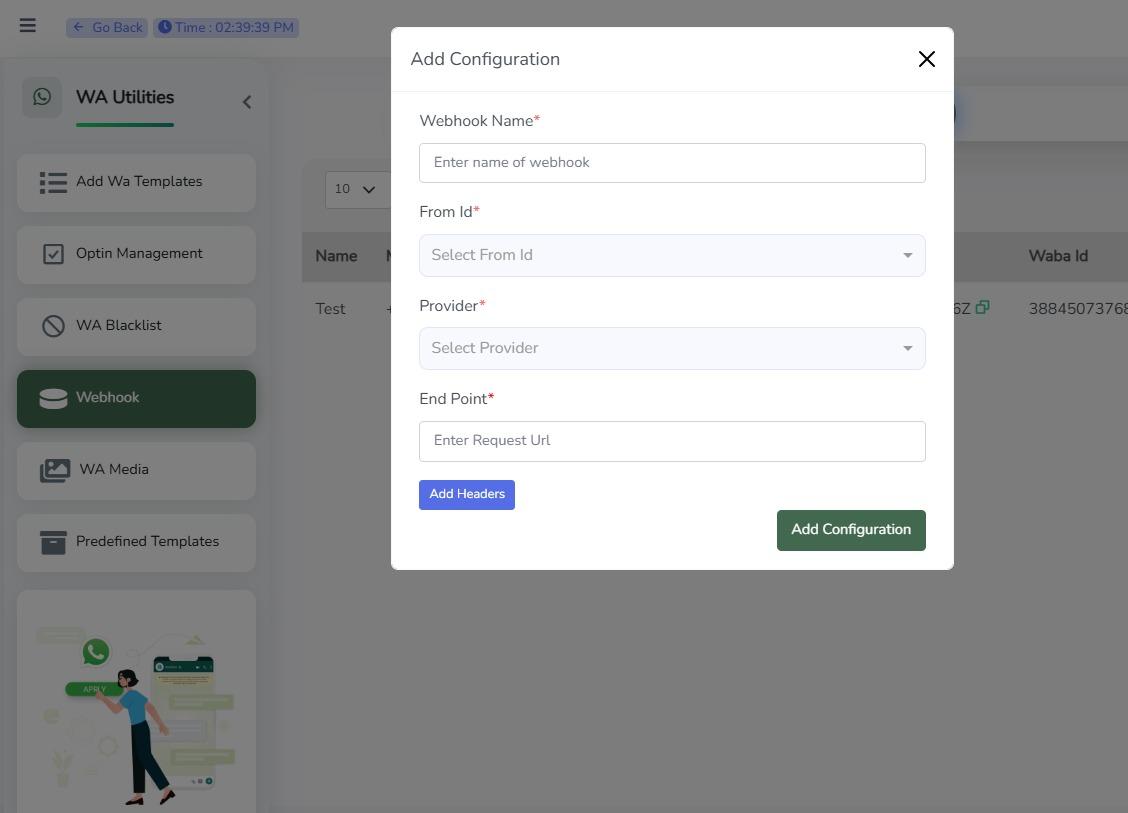
Listen for:
message_status— outbound sent, delivered, read, or failedmessage_received— inbound text, buttons, lists, and media
Full JSON samples are on WhatsApp webhook.
RCS webhooks
Register the URL under RCS → Utility → Webhook. Events include user text, suggestion/action taps, and file shares. Samples are on RCS webhook.
Relating webhooks to sends
- Your send call returns
messageId. - Persist it with your own order or user id.
- When a webhook arrives, look up that
messageIdand update status. - Ignore duplicates with the same id and status.
Do not wait on the send HTTP response for DELIVERED. That round-trip is only accept.
CDP inbound/outbound webhooks move profiles, not message receipts. Keep them on a different URL from DLR. See My CDP.
Typical mistakes
| Situation | What to do |
|---|---|
| Never receive events | URL must be public HTTPS; check the channel webhook screen is saved and the bot/number matches the send |
| Duplicate status updates | Key your store on messageId + status; treat deliveries as at-least-once |
| Mixing CDP and DLR | Two URL families. Profile events are not DELIVERED |
| Using send HTTP 200 as delivered | 200 is accept. Wait for the webhook or Number report |
| GET vs POST mismatch (SMS) | The DLR Method must match what your server implements |
Recipe: Match a delivery report.